Kilo | Open-Source AI Coding Agent Platform across IDE, CLI & Cloud
Kilo
Introduction
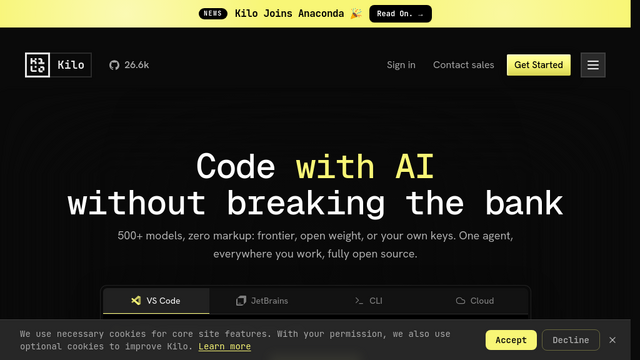
Kilo Code is an open-source agentic software engineering platform backed by former GitLab CEO Sid Sijbrandij. Designed to coordinate the full software development lifecycle rather than just providing inline code autocompletion, Kilo operates seamlessly across VS Code, JetBrains, a terminal CLI, mobile companion apps, and headless cloud agents. By offering zero-markup access to 500+ LLMs (including Claude, GPT-4o, DeepSeek, and Grok Code) and structuring development into specialized modes (Orchestrate, Architect, Code, and Debug), Kilo enables autonomous, cross-file software creation, PR reviews, and background task execution.
Automated GitHub/GitLab Pull Request Reviews
Paste PR links or trigger webhooks to inspect diffs with syntax highlighting, run automated security checks, comment line-by-line, and approve changes.
Headless & Cloud-Hosted Agent Workflows (KiloClaw)
Deploy persistent 24/7 background agents in the cloud that execute cron jobs, run long-running test suites, and process tasks even after closing your IDE.
Mobile Remote Session Management
Monitor, prompt, and control active coding sessions running on your local workstation or cloud agents directly from iOS/Android devices using voice or text.
Cost-Optimized Multi-Model Routing
Leverage ‘Auto Model’ routing (Frontier, Balanced, Efficient, Free) to dynamically assign the most cost-effective and accurate model for each specific subtask.
Features & Benefits
Specialized Agent Modes (Orchestrate / Architect / Code / Debug)
A structured development pipeline that breaks high-level engineering requests into architectural specs, implementation plans, and automated verification loops.
Multi-Surface Interface Ecosystem
Operates across native VS Code and JetBrains extensions, a lightweight terminal CLI, a mobile companion app, and hosted cloud environments.
Zero-Markup Access to 500+ AI Models
Direct, pass-through token pricing without proprietary subscription markup for flagship frontier models and open-weights alternatives.
KiloClaw 24/7 Cloud Worker Infrastructure
One-click hosted infrastructure for deploying unattended background agents without managing Docker containers or SSH tunnels.
Interactive Diff Previews & Explicit Approval
Presents clean, side-by-side change previews and rollbacks before committing code changes to disk or branches.
100% Fully Open-Source Foundation
Transparent codebase that developers can audit, extend, fork, or self-host without closed-source vendor lock-in.
Zero-Markup Transparent Model Pricing
Eliminates expensive per-seat software markups by charging raw provider token costs across 500+ integrated LLMs.
Complete Lifecycle Engineering Beyond Simple ‘Vibe Coding’
Dedicated architecture and debugging modes provide disciplined guardrails for complex, multi-file enterprise codebases.
True Multi-Surface Continuity
Allows developers to kick off a complex task on desktop VS Code and monitor or guide the agent from a phone or terminal session.
Cons
Token Consumption on Long Autonomous Loops
Complex multi-file refactoring or iterative build debugging tasks can burn through model context tokens quickly if constraints are not set.
Initial Toolchain Configuration
Connecting custom repositories, setting up terminal execution permissions, and establishing team role presets requires initial onboarding setup.