Fellow | AI-Powered Meeting Notes, Agendas & Team Collaboration Workspace
Fellow
Introduction
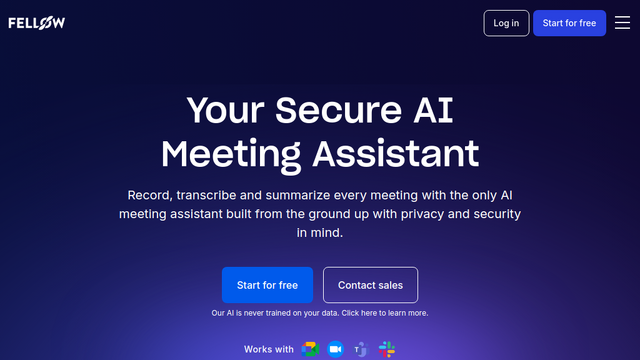
Fellow is an enterprise-grade AI meeting management, automated note-taking, and workflow collaboration platform. Engineered to streamline organizational communication before, during, and after meetings, Fellow centralizes collaborative meeting agendas, real-time speech transcription, AI-generated action item summaries, and 1-on-1 coaching frameworks. Built with deep native integrations across Google Workspace, Microsoft 365, Zoom, Teams, and enterprise CRMs, Fellow transforms unstructured discussions into accountable, traceable business records.
Use Cases
Automated AI Meeting Summaries & Action Tracking
Capture real-time transcriptions and generate concise, structured recaps with clearly assigned owners and deadlines automatically extracted from spoken conversations.
Collaborative Agendas & Pre-Meeting Prep
Establish shared agenda templates and talking points ahead of time, ensuring teams arrive aligned and discussions stay focused on core objectives.
1-on-1 Management & Performance Reviews
Maintain long-term, continuous notes, OKR tracking, and growth feedback loops between managers and direct reports in dedicated workspaces.
Centralized Company Meeting Repository
Eliminate siloed Google Docs by creating a searchable, cross-department knowledge base of past meeting outcomes and strategic decisions.
CRM & Project Management Synchronization
Sync meeting notes and next steps directly into systems of record like Salesforce, HubSpot, Jira, Asana, and Linear without manual data entry.
Features & Benefits
Fellow AI Copilot for Meetings
Joins scheduled Zoom, Google Meet, or Microsoft Teams calls to record, transcribe in multiple languages, and generate executive-level recaps and action lists.
Collaborative Real-Time Agenda Editor
A structured Markdown and block-based document editor embedded directly within video calls and calendar invites for simultaneous note-taking.
Comprehensive Workflow Integrations
Seamless bidirectional sync with project tools (Jira, Asana, Linear, Monday.com, ClickUp) and CRM platforms (HubSpot, Salesforce).
Enterprise Governance & Privacy Guardrails
Provides SOC 2 Type II compliance, granular permission roles, workspace partitioning, and strict data privacy controls ensuring meeting data is not used for unauthorized model training.
Pre-Built Meeting Templates Library
Includes hundreds of expert-designed templates for sprint planning, board meetings, cross-functional standups, and performance check-ins.
Cross-Meeting Search & Analytics
Offers organizational insights into meeting hygiene, calendar load, and searchable discovery across enterprise-wide meeting transcripts.
End-to-End Workflow Focus
Unlike standalone AI recorders that only capture audio after the call begins, Fellow covers the entire lifecycle: pre-meeting prep, live collaborative notes, and post-meeting execution.
Deep Calendar & Video Call Embedding
Direct browser and calendar extensions allow participants to edit notes without leaving Zoom, Teams, or Google Meet windows.
Drives Real Team Accountability
Native tracking of assigned action items directly linked to meeting minutes ensures follow-through across sprints and quarters.
Cons
Requires Team-Wide Adoption for Max Value
The collaborative agenda and management features deliver the greatest impact when adopted across entire departments rather than by isolated individual users.
Feature Depth Curve
The breadth of templates, permission settings, and integration options can introduce an initial setup learning curve for organizations transitioning from simple Google Docs.