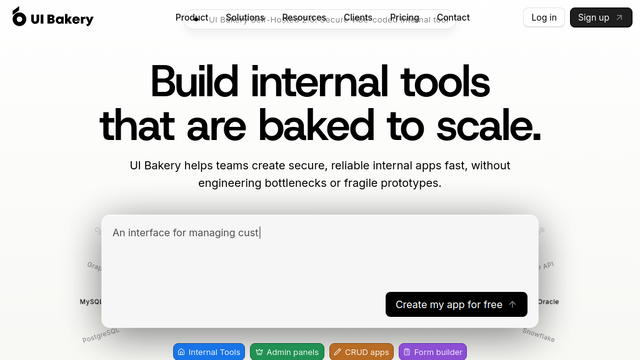
UI Bakery is a robust low-code platform designed to help software developers and business teams build internal tools, admin panels, and dashboards with minimal effort. By providing a drag-and-drop interface and native connectors to various databases and APIs, it bridges the gap between manual coding and off-the-shelf software, allowing for highly customized business applications.
Use Cases
Custom Admin Panels
Build secure interfaces to manage user accounts, moderate content, and oversee database records without building from scratch.
Inventory Management Systems
Develop tools to track stock levels, manage supplier orders, and automate logistics workflows in real-time.
Customer Support Dashboards
Consolidate customer data from multiple APIs and databases into a single view for support agents to resolve tickets faster.
Sales Operations Tools
Create custom CRM extensions or lead tracking boards that integrate directly with existing sales data sources.
Data Visualization & Reporting
Construct internal business intelligence dashboards to monitor KPIs and visualize complex data sets for management review.
Features & Benefits
Drag-and-Drop UI Components
Access over 50 pre-built components like tables, forms, charts, and buttons to assemble interfaces in minutes.
Native Data Connectors
Connect directly to PostgreSQL, MySQL, MongoDB, Google Sheets, and any REST or GraphQL API with ease.
Custom JavaScript Support
Extend the platform’s functionality by writing custom JS logic for complex data transformations and event handling.
Role-Based Access Control (RBAC)
Define granular user permissions to ensure that sensitive data is only accessible to authorized team members.
Flexible Deployment Options
Choose between hosting your apps on UI Bakery’s secure cloud or self-hosting on your own infrastructure for maximum data privacy.