Kiro | Agentic Engineering & Spec-Driven Development IDE


Kiro
Kiro

Introduction

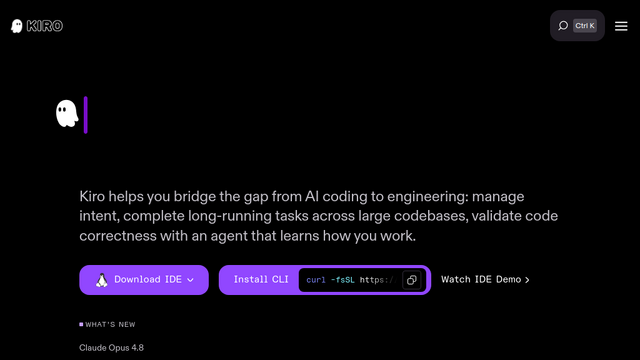
Kiro is an agentic AI IDE and CLI ecosystem developed and operated by AWS. Designed to elevate AI-assisted software development from casual ‘vibe coding’ to structured ‘Agentic Engineering,’ Kiro employs Spec-Driven Development, event-based Agent Hooks, property-based testing, and Steering context mechanism. It translates natural language prompts into formal product specifications (PRDs), system architecture designs, and granular task checklists, guiding parallel AI agents to build and refactor production-grade codebases reliably.

Use Cases

  • Spec-Driven Feature Development
    Transform vague prompts into structured requirements (requirements.md), system architecture plans (design.md), and actionable task checklists (tasks.md) before writing implementation code.
  • Event-Driven Workflow Automation (Agent Hooks)
    Set up background triggers on workspace events (e.g., file save, file creation) to automatically update API documentation, generate unit tests, sync README files, or run security scans.
  • Edge-Case & Property-Based Bug Hunting
    Utilize automated reasoning and property-based testing (fuzzing) to validate logical contradictions and catch boundary conditions missed by standard unit tests.
  • Large Codebase Governance & Architectural Constraints
    Enforce organization-wide coding standards, directory structures, and tech stack choices across AI generations using Markdown-based Steering files.
  • Headless CI/CD & Terminal Automation
    Deploy the Kiro CLI in terminal environments or CI/CD pipelines for automated troubleshooting, pull request generation, and static code analysis.

Features & Benefits

  • Three-Stage Spec-Driven Engine
    Converts natural language instructions into a 3-part blueprint (Requirements → System Architecture → Sequenced Task List) to ensure complex engineering goals stay on track.
  • Agent Hooks Automation Engine
    An event-driven trigger system acting as an AI-native ‘If-Then’ operator within the IDE to run background documentation, linting, and test generation.
  • Steering Context Control
    Allows developers to define custom Markdown guidelines (e.g., product.md, tech.md) that enforce strict project-level context and architectural standards.
  • Multi-Model Support & Dynamic Auto Scheduling
    Supports foundational models including Anthropic Claude and open-weights models, alongside an ‘Auto Mode’ that balances model quality, latency, and cost based on task complexity.
  • Native MCP & Open Ecosystem Standards
    Natively integrates Model Context Protocol (MCP) servers, Agent Client Protocol (ACP), AGENTS.md, Skills.md, and Open VSX extension registries.
  • AWS Enterprise Infrastructure & Predictable Credits
    Offers enterprise IAM/SSO authentication, IP indemnity guarantees, and credit-based pricing without hard daily/weekly rate limits.

Pros

  • Prevents Code Drift & Hallucinated Architectures
    Requiring an explicit, human-auditable Markdown specification prior to code generation drastically minimizes unexpected breaking changes in large codebases.
  • Seamless VS Code Compatibility
    Built to easily import existing VS Code settings, keybindings, color themes, and extensions from Open VSX without workspace friction.
  • Automated Background Maintenance
    Agent Hooks eliminate tedious developer chores like writing boilerplate tests or syncing documentation, keeping engineering flow uninterrupted.

Cons

  • Upfront Specification Overhead
    For quick, disposable prototypes or minor hotfixes, generating and reviewing full spec documents adds extra steps compared to direct chat generation.
  • Requires Disciplined Steering Management
    Maximizing architectural alignment relies on team effort to write and maintain clear Steering files and project rules.

Tutorial

None

Pricing


Popular Products