Hermes WebUI | Lightweight Browser Interface for the Autonomous Hermes Agent
Hermes WebUI
Introduction
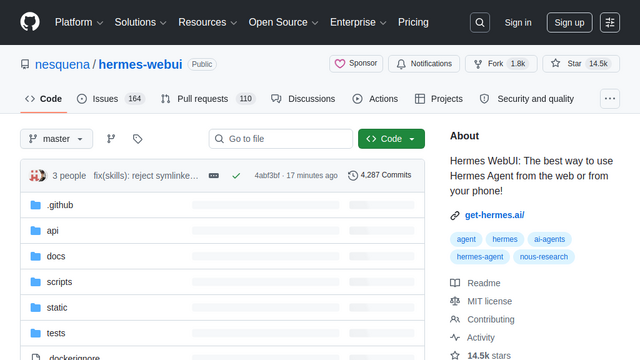
Hermes WebUI is the official, open-source (MIT) self-hosted browser interface engineered exclusively for Hermes Agent—an advanced, self-improving AI server utility. Instead of treating AI as a disposable chat session, Hermes WebUI exposes a persistent, three-panel workspace (Claude-style session sidebar, central streaming chat, and a local server file explorer). It allows solo developers or multi-tenant teams to manage background cron schedulers, execute server-side shell commands, and interact with an automated, self-generating memory and skills repository completely locally on their own infrastructure.
Use Cases
Persistent Server-Side Task Orchestration
Deploy background agent routines that run continuously on your homelab or VPS—such as automated morning news briefings to Telegram or active code compilation checks—even when your browser is closed.
Multi-Tenant Shared AI Server Infrastructure
Host a highly capable localized instance for an entire engineering squad, providing separate password/passkey profiles, distinct workspace file access rules, and isolated chat memory silos.
Context-Retaining Multi-Model Prototyping
Swap underlying LLM models (OpenAI, Anthropic, Gemini, DeepSeek) mid-session to balance API rates or execution capabilities, without breaking the underlying workspace memory structure.
Air-Gapped Local Code Intelligence
Connect the frontend interface straight to an on-premise Ollama or LM Studio cluster, locking proprietary corporate code frameworks, conversation records, and API logs completely off-grid.
Voice-Driven Autonomous Task Triggers
Interact with your server infrastructure using real-time voice inputs natively optimized via faster-whisper or Groq endpoints, generating instant audio responses and executing terminal actions.
Features & Benefits
Zero-Build Vanilla Stack Engine
Built entirely using Python and native, vanilla client-side JavaScript—omitting heavy node packages, webpack bundlers, or compilation steps for maximum performance.
Three-Panel Collaborative Workspace Layout
Features a polished, dark-themed responsive split view providing simultaneous visibility across conversational histories, active thinking blocks, and local folder trees.
47+ Integrated Server Tool Modules
Provides direct browser interfaces to trigger Hermes Agent’s native capabilities, spanning web search extraction, full browser automation, python execution, and image synthesis.
Self-Improving Code Skills Repository
Integrates with the agentskills.io open standard, allowing the underlying backend model to autonomously draft, compile, and register custom code tools based on past success metrics.
7-Layer Deep Security Architecture
Enforces rigid structural isolation via dedicated Docker execution sandboxes, dangerous bash command manual approvals, prompt-injection scanners, and credential filters.
Open WebUI & OpenAI API Compatibility
Exposes an integrated, token-authorized OpenAI-compatible API server gateway, enabling developers to route Hermes’ multi-tool agent layers straight into third-party interfaces.
100% Data and Workflow Sovereignty
Keeps all operational artifacts, credentials, configurations, and episodic memories safely stored locally as editable Markdown files within the user’s home path (~/.hermes/).
Bypasses Modern Autocomplete Bloat
Rejects heavy, opinionated in-editor chat injection formats to focus entirely on deep, asynchronous server-side tool execution and offline background scripts.
Extensive Verification Suite Coverage
Maintains an incredibly stable codebase backed by over 7,150 automated regression tests to prevent layout breaks or state failures across server reboots.
Cons
Demands Active Devops Maintenance
Because it operates strictly as a self-hosted server layer, users assume full administrative responsibility for initial setup, port routing, runtime backups, and uptime.
Steep Keyboard and Shell Tooling Hurdle
Maximizing system capabilities relies on strong familiarity with terminal concepts, file management paths, and self-hosted server architecture profiles.