FreeBuff | Universal AI Coding Companion across Terminal, Web & IDEs
FreeBuff
Introduction
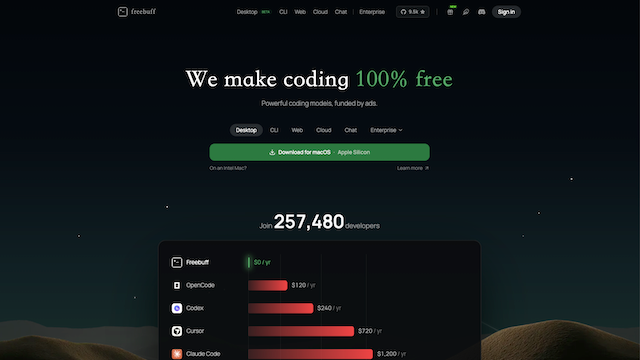
Freebuff is a flexible, multi-surface AI coding and software development companion engineered to make advanced AI programming accessible across any environment. Rather than locking developers into a single rigid workflow, Freebuff provides full cross-platform flexibility by operating seamlessly as a terminal CLI tool, a zero-setup browser web application, and native extensions for popular IDEs (such as VS Code and Cursor). Powered by a Bring-Your-Own-Key (BYOK) architecture, Freebuff allows developers to connect their own LLM API keys or local models to build, refactor, and debug multi-file codebases with complete data privacy and cost control.
Use Cases
Multi-Environment AI Programming
Switch fluidly between a lightweight terminal CLI, a zero-install browser canvas, and full IDE editor extensions depending on the current development task.
Deep Multi-File Codebase Refactoring
Execute comprehensive cross-file edits, architecture updates, and variable refactoring with complete repository context awareness.
Cost-Controlled AI Development via BYOK
Plug in your own API keys (OpenAI, Anthropic Claude, DeepSeek, or local Ollama endpoints) to avoid fixed recurring subscription markups and control inference costs directly.
Terminal-Native & Remote Server Development
Run intelligent AI coding workflows directly on remote servers, SSH sessions, or lightweight terminal setups without needing GUI dependencies.
Instant Web-Based Prototyping & Code Audits
Paste scripts, review logic errors, or prototype new features immediately via the web interface without installing local dependencies.
Features & Benefits
Multi-Surface Interface Ecosystem
Offers unified access across a high-performance CLI, a responsive web viewport, and seamless editor plugin integrations.
Bring-Your-Own-Key (BYOK) Core
Gives developers complete freedom to connect their preferred foundational models and custom API providers directly.
Repository & Directory Context Ingestion
Automatically indexes local project trees, files, and dependencies to provide the AI agent with deep semantic project understanding.
Interactive Review & Diffing Loop
Presents clean, side-by-side or terminal-based diffs, allowing developers to inspect, accept, or iterate on generated changes before applying them.
Local & Cloud Model Interoperability
Supports both leading cloud LLMs and self-hosted local model endpoints, catering to privacy-sensitive and offline developer needs.
Lightweight, Open-Source Architecture
Built for speed and transparency, minimizing resource overhead and allowing community verification of codebase processing logic.
Maximum Workflow Versatility
Adapts to how developers actually work—whether in terminal-only SSH sessions, VS Code, or quick browser sandboxes.
Zero Vendor Lock-In & Transparent Pricing
Using your own API keys ensures you only pay for the exact tokens you consume, with no arbitrary monthly seat caps.
Privacy & Data Sovereignty
Direct API connections and local endpoint compatibility ensure your source code is never stored on proprietary intermediate servers.
Cons
Requires API Key Setup & Quota Management
Users need to supply and manage their own API credentials, monitor rate limits, and maintain billing across individual model providers.
Experience Differs Across Form Factors
Visual features like graphical side-by-side diffing and interactive button prompts are naturally more integrated in the web/IDE interfaces than the pure CLI shell.