Edraw.AI | Create Mind Maps & Diagrams with AI


Edraw AI
Edraw AI

Introduction

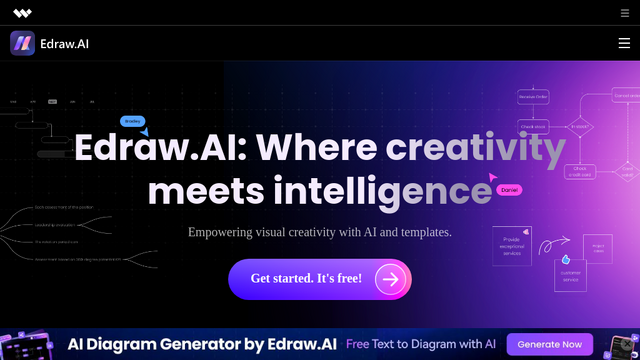
Edraw AI is an advanced, AI-driven diagramming tool developed by Wondershare that enables users to generate professional-grade mind maps, flowcharts, and visual content using simple text prompts. By leveraging generative AI, it simplifies the complex process of structuring information, making it a powerful asset for brainstorming, project management, and educational purposes.

Use Cases

  • Rapid Brainstorming
    Transform a single keyword into a comprehensive, multi-layered mind map in seconds using AI expansion.
  • Workflow Automation
    Generate detailed flowcharts for business processes by describing the operational steps to the AI assistant.
  • Academic Summarization
    Convert dense lecture notes or research papers into structured visual diagrams for easier study and retention.
  • Strategic Business Planning
    Create SWOT analyses, PEST diagrams, and strategy maps through interactive AI-guided prompts.
  • Content Strategy Mapping
    Organize website hierarchies or social media content pillars visually to ensure cohesive brand messaging.

Features & Benefits

  • AI One-Click Generation
    Creates complex diagrams and mind maps instantly from natural language descriptions or prompts.
  • Intelligent Node Expansion
    Provides smart suggestions to continue or deepen a brainstorming session by adding relevant sub-topics automatically.
  • Cloud-Based Collaboration
    Enables team members to work together in real-time on diagrams, ensuring everyone stays on the same page.
  • Multi-Format Export
    Supports high-resolution exports to various formats including PDF, PNG, SVG, and Word for professional presentations.
  • Rich Template Library
    Access to thousands of professionally designed templates that can be customized and enhanced using AI.

Pros

  • Significant Time Savings
    Reduces the manual effort of drawing nodes and connecting lines by automating the layout process.
  • User-Friendly Interface
    Clean and intuitive design that makes professional diagramming accessible to non-designers.
  • High Customization
    Allows for granular control over styles, colors, and fonts even after AI generation.

Cons

  • AI Contextual Limits
    Extremely niche or highly technical diagrams may occasionally require manual structural adjustments.
  • Connectivity Dependency
    Requires a stable internet connection to access the generative AI features and cloud storage.

Tutorial

None

Pricing


Popular Products