Wispr Flow | Effortless Voice Dictation in Every App
Wispr Flow
Introduction
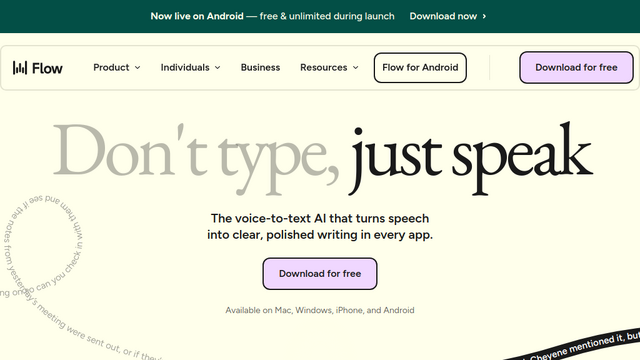
Wispr Flow is a universal AI-powered dictation platform designed to replace typing with high-speed, natural speech across any application on macOS, Windows, iOS, and Android. Unlike standard transcription tools, Flow acts as a system-wide ‘voice-to-text layer’ that understands context, filters out filler words (like ‘um’ and ‘uh’), and automatically formats text into polished, professional prose. It is particularly popular among developers and power users for its ability to handle technical jargon, code syntax, and complex formatting directly into tools like Cursor, Slack, and Gmail.
Use Cases
Vibe Coding & Technical Documentation
Dictate code refactors, commit messages, and documentation directly into IDEs like Cursor or VS Code. Flow understands camelCase, snake_case, and dev jargon like ‘Supabase’ or ‘Vercel’.
Inbox Zero via Voice
Blast through emails in Gmail or Superhuman and messages in Slack/LinkedIn at 150+ words per minute (3-4x faster than typing) with tone-matching that sounds like you.
Hands-Free Task Management
Create Jira tickets, update Linear tasks, or organize Notion pages by speaking naturally; the AI handles the structure, bullet points, and checkbox formatting.
Focused Creative Writing
Draft long-form content in Google Docs or Microsoft Word without the physical strain of typing, allowing for a more spontaneous ‘thought-to-text’ flow.
Accessibility & Mobility
Empowers users with repetitive strain injuries (RSI) or mobility impairments to interact with every part of their computer using only their voice.
Features & Benefits
Universal App Integration
Works in any text field across your entire OS—if you can type there, you can ‘Flow’ there without switching apps or exporting text.
AI Contextual Auto-Editing
Automatically removes filler words, fixes grammar, and understands verbal corrections (e.g., saying \”Let’s meet at 2… actually 3\” results in the correct time being typed).
Custom Dictionary & Snippets
Learn your unique vocabulary, industry acronyms, and names. You can also create voice shortcuts (snippets) to paste frequently used text like meeting links or intros.
100+ Language Support
Dictate fluently in over 100 languages, with the ability to handle multi-lingual environments and specific dialects accurately.
Whisper Mode
Advanced sensitivity allows the AI to capture and transcribe even low-volume whispering, making it usable in shared or quiet office spaces.
Dramatic Speed Increase
The average user speaks at ~150 wpm compared to typing at ~40 wpm, effectively removing the ‘fingers-to-brain’ bottleneck.
Privacy-First Design
Offers a ‘Zero Data Retention’ privacy mode and is HIPAA-ready, ensuring sensitive dictations are not stored or used for model training.
Low Friction
No separate recording or ‘stop/start’ buttons; it integrates into the cursor’s position for a seamless experience.
Cons
Weekly Word Limits on Free Tier
The Basic plan is limited to 2,000 words per week on desktop, which power users will likely hit quickly.
Tone Styles Restricted
The advanced ‘Styles’ feature (matching tone to specific apps) is currently only available for English on desktop platforms.