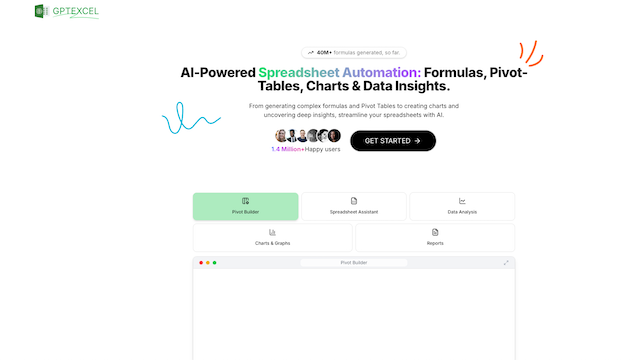
GPTExcel is an AI-driven spreadsheet assistant designed to simplify and automate complex tasks in Microsoft Excel, Google Sheets, and Airtable. By utilizing advanced natural language processing, it enables users to generate production-ready formulas, explain existing logic, and create automation scripts through simple text prompts. It serves as an educational and productivity-boosting tool for finance professionals, data analysts, and students who want to streamline their data management workflows.
Use Cases
Formula Automation
Quickly generate complex formulas like VLOOKUP, INDEX-MATCH, or nested IF statements by describing the goal in plain English.
Scripting and Macros
Generate VBA, Google Apps Script, or Airtable scripts to automate repetitive data entry, formatting, or cleanup tasks without writing code.
Formula Troubleshooting
Paste an existing, complex formula to receive a step-by-step breakdown of how it works and what each part does.
Database & Regex Support
Craft SQL queries for database analysis and generate regular expressions (Regex) for advanced data validation and filtering.
Data Extraction from Images
Convert screenshots of tables or printed data into editable spreadsheet formats using integrated AI OCR capabilities.
Features & Benefits
AI-Powered Formula Generator
Supports natural language requests to create accurate formulas for Excel, Google Sheets, and Airtable instantly.
Logic Explainer
Translates complex spreadsheet syntax into easy-to-understand language to help users learn and debug their work.
Multi-Agent Automation Tools
Provides specialized tools for generating SQL queries, regular expressions, and spreadsheet templates.
Chat with Spreadsheets
Allows users to upload files and interact with their data through a conversational interface to gain insights and generate reports.
Multilingual Capabilities
Supports over 50 languages, making it accessible to a global user base for cross-border data processing.
High Efficiency Gains
Reduces hours of manual formula construction and script writing to just a few seconds.
Low Learning Curve
The intuitive natural language interface makes advanced spreadsheet techniques accessible to non-technical users.
Versatile Platform Support
Works across major platforms including Excel, Google Sheets, and Airtable, ensuring flexibility for different teams.
Cons
Restricted Free Tier
Free users are limited to a small number of requests per day (typically 4), which may be insufficient for power users.
Contextual Accuracy
As with all AI tools, it may occasionally misinterpret highly specific or niche business contexts, requiring manual verification of complex outputs.