Smartsheet | Work Management & Automation Platform
Smartsheet
Introduction
Smartsheet is a dynamic work management platform designed to help teams and organizations plan, track, automate, and report on work. It combines the familiar interface of a spreadsheet with powerful project management, collaboration, and workflow automation capabilities, enabling businesses to achieve greater agility and visibility across their operations.
Use Cases
Project Management
Plan, execute, and track projects with Gantt charts, critical path, and resource management to ensure on-time and on-budget delivery.
Team Collaboration
Centralize communications, share files, and coordinate tasks seamlessly among team members, fostering efficient teamwork regardless of location.
Workflow Automation
Automate repetitive tasks, alerts, approvals, and data collection, significantly reducing manual effort and accelerating business processes.
Operations Management
Streamline operational processes, manage assets, track inventory, and optimize daily workflows across various departments.
Marketing Campaign Management
Organize content calendars, track campaign performance, manage budgets, and coordinate marketing activities from ideation to execution.
Features & Benefits
Collaborative Spreadsheets
Familiar, flexible, and highly customizable grid interface that allows teams to manage data, tasks, and projects collectively.
Automated Workflows
Built-in automation tools to create rules for alerts, approvals, status updates, and task assignments, saving time and improving consistency.
Gantt Charts & Dashboards
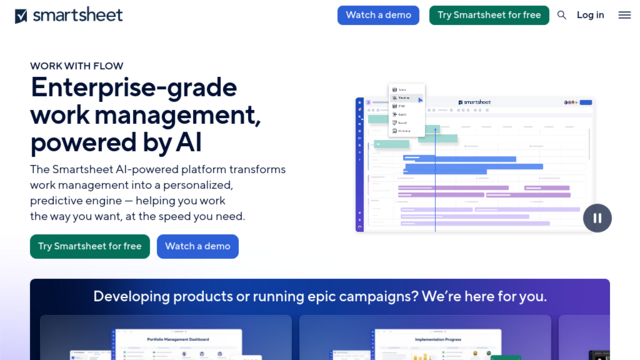
Visual project timelines with dependencies and real-time interactive dashboards that provide high-level overviews and actionable insights.
Integrations with Key Business Apps
Seamless connections with popular tools like Microsoft 365, Google Workspace, Salesforce, Tableau, and more for unified data flow.
Reporting & Analytics
Robust reporting capabilities to generate custom reports and metrics, enabling data-driven decision-making and performance tracking.
Highly Flexible and Customizable
Adaptable to a wide range of use cases and industries due to its customizable columns, templates, and workflows.
User-Friendly Interface
Intuitive spreadsheet-like interface makes it accessible for users familiar with Excel or Google Sheets, reducing the learning curve.
Powerful Automation Capabilities
Strong workflow automation features significantly streamline repetitive tasks and improve operational efficiency.
Robust Reporting and Dashboards
Excellent tools for visualizing data, tracking progress, and generating comprehensive reports for stakeholders.
Cons
Can Be Overwhelming for New Users
The vast array of features and customization options can be daunting for beginners without prior experience.
Pricing Can Be High for Small Teams
Cost might be a barrier for very small teams or individual users compared to simpler project management tools.
Steeper Learning Curve for Advanced Features
Utilizing advanced formulas, integrations, and complex automations might require dedicated time to master.
Limited Native Chat/Communication Tools
While it integrates with communication tools, its native in-platform communication features could be more robust.