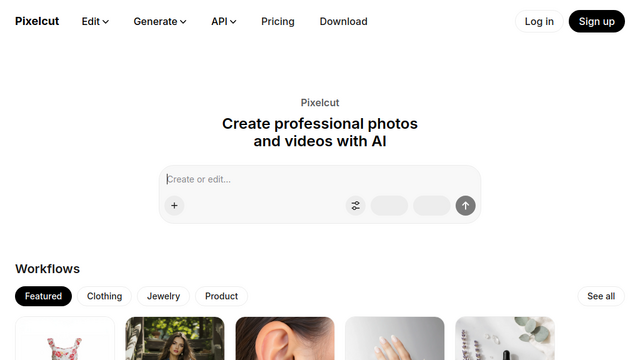
Pixelcut is an all-in-one AI photo and video editing platform designed for entrepreneurs, creators, and e-commerce brands. It serves as a creative ‘operating system’ that automates production-ready visuals through high-quality background removal, image upscaling, and generative content creation. By leveraging advanced models like Nano Banana Pro and Sora 2, Pixelcut allows users to generate professional product photography and video ads with minimal effort and high character consistency.
Use Cases
E-commerce Product Photography
Transform raw product snapshots into studio-quality imagery with consistent backgrounds and professional lighting for online stores.
AI User-Generated Content (UGC) Ads
Generate talking videos and AI-driven video advertisements to promote brands across social media platforms in seconds.
Batch Image Processing
Perform background removal, color corrections, and upscaling across hundreds of files simultaneously to save hours of manual editing.
Brand Identity Scaling
Create and maintain consistent AI personas and brand assets across all marketing materials to ensure a unified visual identity.
Real Estate & Interior Enhancement
Use generative fill and uncrop tools to clean up property photos or expand horizons for more engaging listings.
Features & Benefits
Advanced Background Removal
Provides industry-leading, proprietary background removal for both images and video with high precision.
Creative AI Agent (Pixa)
A built-in assistant that understands natural language prompts to plan and execute complex creative tasks on your behalf.
Multi-Model AI Generation
Integrates top-tier models like Imagen 3, Ideogram v2, and Luma Ray2 for diverse image and video generation needs.
Smart Image Upscaler
Enhances photo resolution up to 16x, using models like Topaz to ensure high-definition clarity for large-scale prints.
Generative Fill & Retouching
Allows users to precisely erase unwanted objects or add new elements into a scene through simple AI-driven text commands.
Bot-Free and Mobile-Ready
Offers a seamless experience across iOS, Android, and web browsers, allowing for professional editing anywhere.
Generous Collaboration Features
Pro and Business plans allow for multiple team members (3 to 10+) without paying per seat, facilitating easy group projects.
High Export Quality
Supports watermark-free exports even on the free plan, with HD options available for professional use.
Cons
Credit-Based Advanced Models
Access to the most advanced third-party AI models (like Veo2 or Kling) is restricted by a monthly credit system.
Daily Limits on Free Plan
While free to start, high-frequency users will encounter daily caps on generative tools like AI backgrounds and upscaling.