
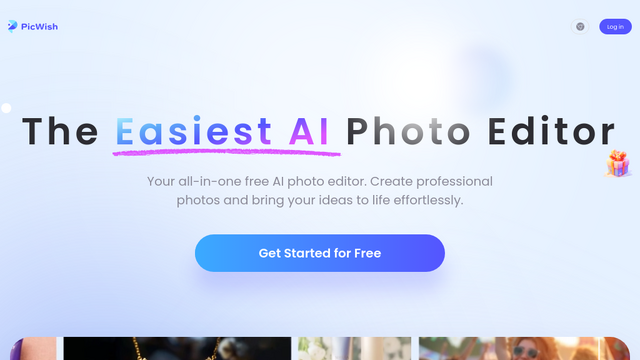
PicWish is an AI-powered photo editing tool designed to simplify various image manipulation tasks. It leverages artificial intelligence to offer features like accurate background removal, object removal, image enhancement, compression, and photo restoration, catering to a wide range of users from e-commerce businesses to individual content creators.
Use Cases
E-commerce Product Photography
Quickly remove backgrounds from product images, ensuring consistent visuals for online stores on platforms like Amazon, eBay, and Shopify.
Social Media Content Creation
Effortlessly cut out subjects from photos to create transparent background images, perfect for designing engaging social media posts, stories, and profile pictures.
Graphic Design Projects
Streamline design workflows by easily isolating elements, removing unwanted objects, or enhancing image quality for brochures, flyers, and digital art.
ID/Passport Photo Generation
Automatically generate compliant ID, passport, or visa photos by changing backgrounds to standard white or blue and ensuring correct dimensions.
Image Restoration and Enhancement
Bring old, damaged, or low-quality photos back to life by colorizing black and white images, removing scratches, repairing blur, and upscaling resolution.
Features & Benefits
AI Background Remover
Accurately removes backgrounds from photos of people, products, animals, and graphics with high precision, offering transparent or custom backgrounds.
Object Remover (Retouch)
Effortlessly erase unwanted elements like text, watermarks, wires, or blemishes from images, leaving a clean and natural-looking result.
Image Enhancer & Upscaler
Improves photo quality by upscaling low-resolution images, sharpening details, deblurring, and enhancing colors and contrast for professional outcomes.
Photo Colorizer & Old Photo Repair
Automatically colorizes black-and-white photos and repairs scratches, tears, and other damage in old photographs, preserving cherished memories.
ID Photo Maker
Generates compliant ID, passport, and visa photos by automatically adjusting dimensions and changing background colors to meet official requirements.
High Accuracy of AI Tools
Provides precise and clean results for complex tasks like background removal and object eradication, minimizing the need for manual adjustments.
User-Friendly Interface
The platform is intuitive and easy to navigate, making it accessible for both beginners and experienced professionals.
Versatile Toolset
Offers a comprehensive suite of AI-powered editing features within a single platform, reducing the need for multiple specialized tools.
Cross-Platform Availability
Available as a web application, desktop software, and mobile apps (iOS/Android), providing flexibility and convenience for users across devices.
Cons
Credit-Based System
Many advanced features and high-resolution exports require credits, which can lead to recurring costs for heavy users.
Limitations on Free Tier
The free version often comes with restrictions on features, resolution, or the number of images that can be processed, pushing users toward paid plans.
Internet Dependency for Web Version
The web application requires a stable internet connection, which might be a drawback in areas with poor connectivity.
Occasional AI Imperfections
While generally accurate, the AI may sometimes struggle with very intricate details or complex edge cases, requiring minor manual touch-ups.