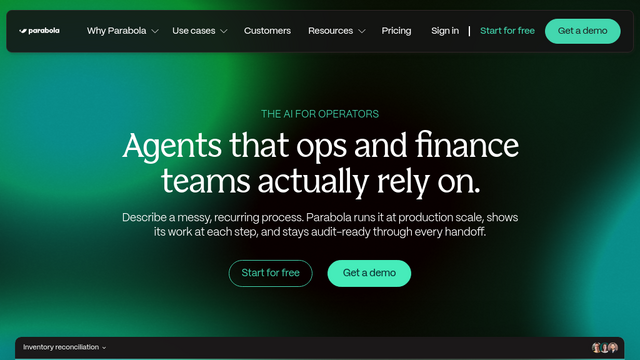
Parabola | The AI-Powered Collaborative Data Workflow Automation Platform
Parabola
Introduction
Parabola is a visual, no-code data automation and workflow orchestration platform engineered specifically for operations, logistics, supply chain, and finance teams. Replacing fragile spreadsheet macros and manual copy-pasting, Parabola provides a drag-and-drop canvas to ingest, transform, enrich, and route complex data across modern databases, ERPs, and legacy systems. By integrating native AI steps directly into its deterministic data-processing pipeline, Parabola enables non-technical teams to extract unstructured data from PDFs and emails, reconcile inventory, and automate mission-critical back-office processes without writing code.
Use Cases
Supply Chain & Logistics Invoice Auditing
Automate the extraction of line-item data from freight bills, rate sheets, and carrier PDFs, cross-referencing charges against agreed rate cards to identify discrepancies instantly.
Omnichannel Inventory & Order Reconciliation
Consolidate inventory, sales orders, and return streams across multiple storefronts (Shopify, Amazon, ERPs, 3PLs) into a single, standardized data model.
AI-Driven Document Extraction & Processing
Parse complex, unstructured documents—such as supplier packing slips, purchase orders, and PDF invoices—directly into structured tabular datasets without manual data entry.
Financial & Revenue Data Normalization
Cleanse, reformat, and reconcile financial transactions from payment gateways, bank feeds, and billing platforms to streamline month-end close workflows.
Automated Reporting & Multi-Destination Syncing
Schedule recurring data workflows that pull from databases or APIs, apply multi-step transformations, and output standardized updates to Google Sheets, CRMs, or Slack.
Features & Benefits
Visual Drag-and-Drop Workflow Builder
A card-based canvas that allows users to chain together data extraction, filtering, joining, pivoting, and aggregation operations visually.
Native AI Data Extraction & Cleansing Steps
Built-in generative AI nodes that categorize text, extract key-value pairs from PDFs/images, and standardize messy categorical values automatically.
Universal Integration & Webhook Ecosystem
Connects out of the box with major SaaS applications (Shopify, NetSuite, Salesforce, Airtable, Snowflake, Google Sheets) alongside custom REST API and webhook endpoints.
Real-Time Interactive Data Preview
Inspect live data tables at every intermediate transformation step to verify logic, debug edge cases, and ensure data integrity prior to publishing.
Automated Scheduling & Event-Driven Triggers
Run workflows on continuous schedules (hourly, daily, monthly), via incoming webhooks, or on-demand with manual runs.
Enterprise Governance & Access Controls
Offers role-based access permissions, team workspace isolation, audit logging, and SOC 2 Type II compliance for secure enterprise operations.
Empowers Non-Technical Operators
Enables business and operations teams to build sophisticated data pipelines independently without relying on dedicated data engineering resources.
Bridges Unstructured Documents and Structured Data
Native AI steps seamlessly convert messy PDF attachments, emails, and scanned documents into structured, actionable tables.
Superior Visual Debugging
Inspecting live data at each node step makes diagnosing data mismatch issues substantially faster than debugging blind script executions.
Cons
Latency on Extremely Massive Datasets
While optimized for daily operational data volumes, processing multi-million-row datasets simultaneously can experience performance slowdowns compared to dedicated cloud data warehouses.
Tier-Based Credit & Row Consumption
High-frequency runs or heavy data pipelines can consume plan execution credits and row limits rapidly, requiring higher-tier subscription scaling.