OpenCut | AI-Powered Video Editing & Content Creation Tool
OpenCut
Introduction
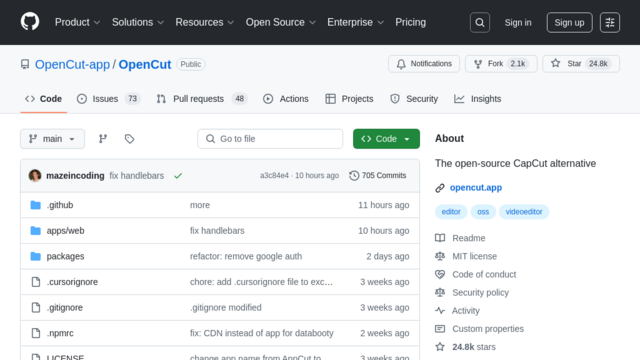
OpenCut is an innovative AI-powered desktop application designed to revolutionize video editing for content creators. It automates time-consuming tasks such as detecting and cutting out silence, generating accurate captions, and summarizing video content, making it ideal for producing engaging social media shorts and streamlining overall video production workflows.
Use Cases
YouTube Content Optimization
Quickly edit long-form videos for YouTube by automatically removing dead air, ensuring a more dynamic and engaging viewing experience.
Social Media Short-Form Content Creation
Efficiently transform extensive video footage into concise, attention-grabbing clips suitable for platforms like TikTok, Instagram Reels, and YouTube Shorts through automated summarization.
Podcast and Audio Editing
Streamline the editing process for podcasts, interviews, or voiceovers by automatically identifying and cutting out awkward silences and pauses, enhancing audio flow.
Educational Material Production
Enhance accessibility and comprehension of online courses, webinars, or tutorials by automatically generating accurate captions and summarizing key takeaways.
Meeting and Interview Transcription
Convert recorded meetings, interviews, or presentations into text with automated captioning and summarization, facilitating easier review and content repurposing.
Features & Benefits
AI Silence Detection & Cutting
Automatically identifies and removes moments of silence from videos, significantly reducing editing time and improving video pacing.
AI-Powered Caption Generation
Generates highly accurate captions for video content, enhancing accessibility for viewers and improving search engine optimization for discoverability.
Intelligent Video Summarization
Utilizes AI to condense lengthy videos into concise summaries or highlight reels, perfect for creating engaging short-form content quickly.
Desktop Application for Local Processing
Runs as a desktop application, ensuring faster processing speeds, enhanced data privacy, and the ability to work efficiently offline without cloud dependency.
Multi-language Support for Global Reach
Offers support for various languages in both transcription and summarization, enabling content creators to cater to a diverse, global audience.
Efficient Time Savings
Automates tedious editing tasks like cutting silence and generating captions, freeing up creators’ time for more creative work.
Offline Accessibility
As a desktop application, it allows users to process videos locally without requiring an internet connection, ensuring privacy and consistent performance.
Designed for Social Media Efficiency
Specific features like summarization are tailored to quickly produce content suitable for popular social media platforms.
Open-Source & Community Driven
Being open-source, it benefits from community contributions, potential for customization, and transparency in development.
Cons
Beta Software Instability
Currently in beta, which means users might encounter bugs, unexpected behavior, or incomplete features.
No Cloud Collaboration
Lacks cloud-based features for collaborative editing or web access, which might be a limitation for team-based workflows.
Limited Advanced Editing Features
Primarily focuses on AI automation and does not offer a comprehensive suite of manual video editing tools and effects found in professional editors.
Support & Documentation Dependent on Community
As an open-source project, official support and extensive documentation might be less structured compared to commercial software.