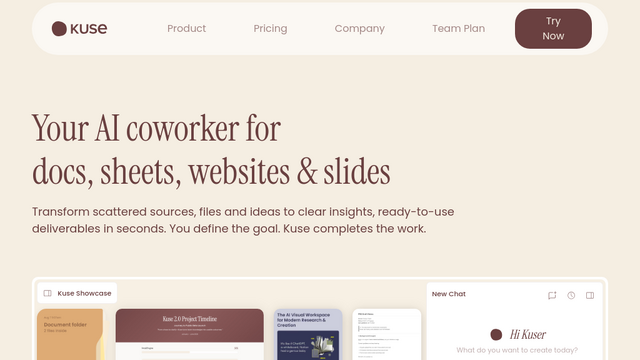
Kuse AI is an all-in-one, web-based workspace designed for advanced knowledge management and agentic execution. Unlike standard linear chatbots, Kuse provides a flexible ‘infinite canvas’ where users can drag, drop, and link diverse data sources—including PDFs, images, YouTube videos, and web links. It acts as a personal AI second brain, enabling users to switch between leading models like GPT-4, Claude, and Gemini to perform deep research, generate structured reports, and build automated workflows grounded in their own private data.
Use Cases
Automated Business Intelligence
Ingest disparate data from CRM, ERP, and marketing logs to identify revenue trends, detect anomalies, and generate investor-ready Q2 reports instantly.
Product Management & Strategy
Upload user feedback, market research, and PRD drafts to have the AI synthesize them into prioritized requirement lists and actionable quarterly plans.
AI-Powered Academic & Classroom Research
Teachers and students can convert messy lecture notes or multiple PDFs into clear outlines, mind maps, and interactive quizzes with automated grading.
Legal & Operations Automation
Compare different versions of contracts to highlight differences, clarify ambiguous clauses with ‘Magic Pen,’ and generate new documents based on preferred templates.
Marketing Campaign Analysis
Upload industry reports and campaign assets to analyze successful case studies and generate tailored brand strategies and comparison tables.
Features & Benefits
Visual Workspace (Infinite Canvas)
A high-freedom UI that allows users to visually organize content, establish connections, and collaborate with AI in a non-linear environment.
Multi-Model Switching
Gives users the ‘Magic Cube’ icon to instantly toggle between GPT-4, Claude 3.5, and Gemini models for different tasks within the same conversation.
Persistent Project Memory
Maintains long-running context across folders and files, ensuring that the AI remembers the nuances of a project throughout its lifecycle.
One-Click Content Generation
Built-in tools to transform raw research into formatted slides, professional documents, or structured spreadsheets with a single click.
Agentic Workflow Orchestration
Goes beyond simple chat by using agents that can reason over unstructured inputs (feedback, briefs) to produce complex, multi-step outputs.
Flexible Information Retrieval
Unlike tools like NotebookLM which are strictly limited to uploaded files, Kuse can combine your data with external web search for broader context.
Low Barrier to Entry
Designed for non-technical users with zero setup required; users can start building a dedicated knowledge base immediately in the browser.
Daily Free Credits
Offers a generous starting pool of 500 credits for new users, with a daily login bonus of 50 credits to support ongoing light usage.
Cons
Credit-Based Limitations
Heavy usage of advanced models or large document processing can deplete credits quickly, requiring a paid subscription for power users.
AI Hallucination Dependency
Because it allows for external knowledge, it may be more prone to hallucinations compared to ‘closed-loop’ RAG tools unless strict source-grounding is toggled.