Granola | The AI notepad for people in back-to-back meetings
Granola.ai
Introduction
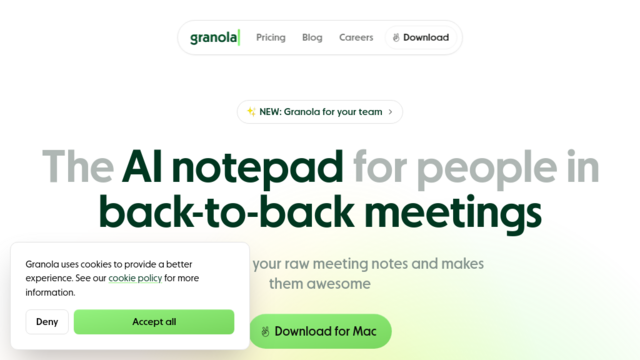
Granola is an AI-native meeting notepad designed for professionals who want accurate documentation without the intrusiveness of meeting bots. Unlike traditional recorders that join calls as participants, Granola captures audio directly from your computer or iPhone. It uniquely blends your own shorthand notes with a full transcript to create high-fidelity, structured summaries that reflect what you actually care about, rather than just providing a generic transcript.
Use Cases
Sales Discovery Calls
Keep your focus on the prospect while Granola captures technical requirements and automatically syncs them to your CRM.
User Research Interviews
Synthesize raw qualitative feedback into structured product insights and feature requests across multiple sessions.
VC & Investor Meetings
Capture critical investment signals and decision-making logic without the awkwardness of a bot in the meeting room.
Executive Syncs & 1-on-1s
Maintain a personal connection during sensitive leadership discussions while ensuring action items are perfectly recorded.
Internal Sprint Reviews
Automatically generate scannable recaps of team progress and blockers using specialized ‘Standup’ or ‘Weekly Sync’ templates.
Features & Benefits
Bot-Free Local Transcription
Transcribes system audio directly on macOS or Windows, ensuring privacy and eliminating ‘recorder joined the call’ notifications.
AI-Human Note Integration
An intelligent ‘Enhance’ feature that merges your manual shorthand with the full transcript to generate context-aware summaries.
Granola Chat (Post-Meeting AI)
An interactive assistant that lets you query your meeting history to write follow-up emails, list objections, or extract budget data.
Customizable Workflow Templates
Flexible frameworks for different meeting types, allowing you to define exactly how the AI should structure its summaries.
Deep CRM & Tool Integrations
Native connections to HubSpot, Salesforce, Notion, and Slack to instantly turn conversation data into institutional knowledge.
Zero Friction UX
No need to invite bots or manage permissions; it simply records when you tell it to and works across all platforms (Zoom, Teams, Slack).
Privacy by Design
Audio is processed locally and transcripts are private by default, with an Enterprise option to completely opt-out of model training.
Minimalist Interface
Feels like a standard notes app rather than a complex enterprise tool, resulting in a very low learning curve.
Cons
No Audio Playback
The tool focuses on transcription and does not save the actual audio files, which can be a dealbreaker if you need to hear exact tone or inflection.
Limited Free Tier
The free version is restricted to 25 lifetime meetings total, essentially serving as a trial rather than a long-term free plan.