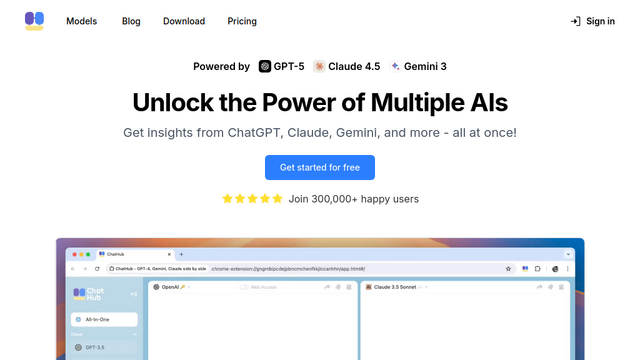
ChatHub is a versatile browser extension and web application that allows users to access multiple AI chatbots simultaneously. By providing a unified interface for models like ChatGPT, Google Gemini, Claude, and Bing, it enables seamless comparison of AI responses and significantly enhances productivity for power users of large language models.
Use Cases
Comparative Analysis
Send a single prompt to multiple models like GPT-4 and Claude 3 simultaneously to compare accuracy and tone.
Efficient Fact-Checking
Verify information by cross-referencing answers from different AI providers in a side-by-side view.
Developer Prompt Testing
Test how various LLMs interpret technical documentation or code snippets to find the best model for a specific task.
Creative Brainstorming
Gather diverse creative ideas by querying multiple chatbots at once and synthesizing their unique outputs.
Local AI Integration
Connect to local LLMs via Ollama to maintain privacy while still benefiting from a professional multi-chat interface.
Features & Benefits
Multi-Chat Mode
Chat with 2 to 4 different AI models at the same time in a split-screen layout.
Broad Model Support
Supports over 30 models including ChatGPT, Bing, Gemini, Claude, and various open-source models.
Prompt Library
Save and organize frequently used prompts to improve efficiency and consistency across different AI tools.
Shortcut Support
Quickly activate the tool via browser keyboard shortcuts for an uninterrupted workflow.
Data Export
Easily export chat histories to Markdown format for documentation or sharing with team members.