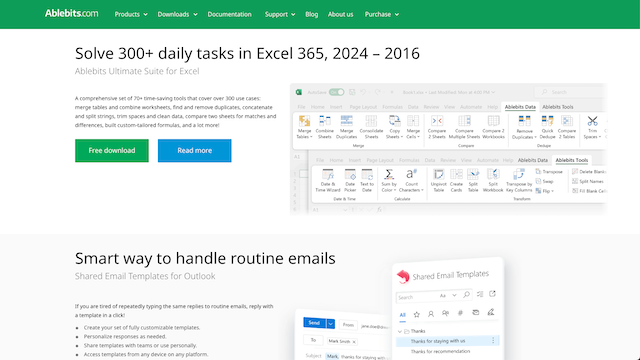
Ablebits | Excel add-ins tools to boost your daily work in Microsoft Excel
Ablebits Ultimate Suite for Excel
Introduction
Ablebits offers a comprehensive suite of add-ins and tools designed to significantly enhance productivity and streamline data management within Microsoft Excel. It provides solutions for a wide range of tasks, from cleaning and transforming data to advanced analysis and automation, empowering users to work more efficiently with their spreadsheets.
Use Cases
Data Cleaning & Preparation
Quickly remove duplicates, trim spaces, fix typos, change text case, and split or merge cells to ensure data accuracy and consistency.
Data Analysis & Reporting
Perform advanced lookups, compare worksheets for discrepancies, combine data from multiple sources, and prepare reports with greater ease and precision.
Spreadsheet Management
Efficiently navigate large workbooks, manage comments, merge multiple workbooks, and convert data ranges for better organization and control.
Statistical & Mathematical Operations
Utilize specialized functions for statistical calculations, generate random data, and perform complex mathematical operations directly within Excel.
Automating Repetitive Tasks
Automate common and time-consuming Excel operations, such as data consolidation, rearrangement, and formatting, to save significant manual effort.
Features & Benefits
Ultimate Suite for Excel
A comprehensive collection of over 60 professional tools and more than 300 utilities designed to handle virtually any task in Microsoft Excel.
Duplicate Remover
Quickly identifies and removes duplicate rows, unique values, or selects items based on their uniqueness across multiple sheets and workbooks, ensuring data integrity.
Merge Tools for Excel
Effortlessly combines data from multiple worksheets, workbooks, or cells into a single sheet or cell, simplifying data consolidation and reporting.
Advanced Find & Replace
Provides powerful search and replace capabilities that extend beyond Excel’s native functions, allowing users to find and modify data across cells, formulas, values, and comments.
Random Generator
Generates various types of random data, including numbers, strings, dates, Booleans, and passwords, useful for testing, simulations, or creating dummy data.
Comprehensive Toolset
Offers an extensive array of over 60 tools, covering almost every imaginable Excel task, making it a robust, all-in-one solution for Excel users.
Significant Time-Saver
Automates complex and repetitive data manipulation tasks, drastically reducing the time spent on manual data cleaning, analysis, and reporting.
Improved Data Accuracy
Features like duplicate removers, data comparison tools, and smart formatting help maintain high data quality and consistency.
Seamless Excel Integration
Integrates directly into the Excel ribbon, providing a familiar and user-friendly interface that makes the tools easily accessible and intuitive for users of all skill levels.
Cons
Cost Consideration
As a paid add-in, it represents an additional investment, which might be a barrier for individuals or small businesses with limited budgets.
Learning Curve for Full Potential
While user-friendly, fully understanding and utilizing all 60+ tools and their functionalities can still require some time and effort to master.
Excel-Specific Dependency
The tools are exclusively designed for Microsoft Excel, meaning users of other spreadsheet software or platforms cannot leverage its capabilities.