Carly | AI Executive Assistant & Automated Scheduling Agent
Carly
Introduction
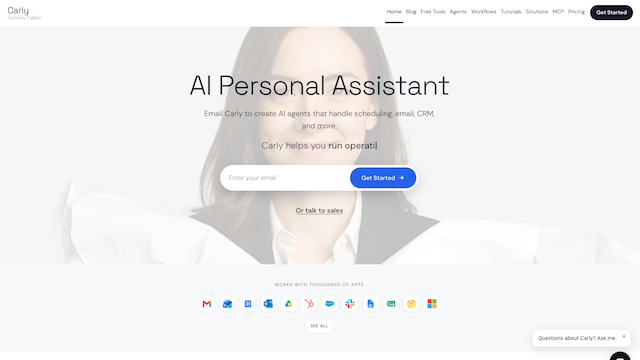
Carly is an autonomous AI executive assistant purpose-built to eliminate calendar coordination friction, inbox scheduling loops, and meeting administrative overhead. Operating directly inside existing communication channels—such as email (CC’ing Carly), SMS, WhatsApp, and Slack—without forcing users or external guests to adopt new booking links, Carly negotiates meeting times across multiple participants, manages time zones, resolves calendar conflicts, and prepares pre-meeting context briefs automatically.
Use Cases
Multi-Party Email & Chat Scheduling Negotiation
CC Carly on any email thread or message her via SMS/Slack to autonomously coordinate availability, propose time slots, and send calendar invites across internal and external attendees.
Dynamic Rescheduling & Conflict Resolution
Handle last-minute cancellations, time zone shifts, and overlapping calendar conflicts automatically by renegotiating slots based on user priority rules.
Intelligent Calendar Defense & Focus Time Protection
Enforce working hours, buffer windows, travel time blocks, and protected deep-work blocks so incoming requests never fragment core productivity windows.
Pre-Meeting Context Briefs & Follow-Ups
Synthesize attendee backgrounds, prior email threads, and agenda notes into concise pre-call briefings delivered ahead of scheduled meetings.
Executive Inbox Triage & Action Tracking
Surface scheduling-related requests buried in busy inboxes and ensure follow-up commitments from meetings are tracked cleanly.
Features & Benefits
Native Multi-Channel Interface (Email, SMS, WhatsApp, Slack)
Interacts naturally in plain English wherever conversations already happen, eliminating the impersonal feel of static Calendly links.
Multi-Calendar & Time Zone Synchronization
Connects across Google Calendar and Microsoft Outlook accounts simultaneously to evaluate unified real-time availability across global time zones.
Preference-Aware Scheduling Engine
Learns and enforces granular user rules—such as preferred meeting hours, daily call caps, virtual vs. in-person location defaults, and VIP priority overrides.
Human-Like Conversational Tone
Drafts polite, context-aware responses when negotiating times with external clients, investors, or candidates, matching professional executive assistant etiquette.
Automated Video Conferencing & Invite Provisioning
Automatically generates and attaches Zoom, Google Meet, or Microsoft Teams links upon mutual time confirmation.
Zero-App Guest Experience
External participants never need to create an account, install an app, or click through rigid availability grids to confirm a meeting.
Eliminates ‘Booking Link’ Friction
Maintains high-touch, human-feeling coordination via simple email CCs rather than sending cold scheduling links to high-value contacts.
Handles Complex Multi-Person Threads
Navigates back-and-forth availability negotiations among three or more participants across different organizations and time zones effortlessly.
Zero UI Learning Curve
Works entirely through natural language inside existing email and messaging workflows.
Cons
Requires Broad Calendar & Email Permissions
Operating effectively requires granting read/write access to calendars and email threads, which may require security review in strict enterprise environments.
Narrow Domain Specialization
Focused specifically on executive scheduling and calendar operations rather than broad multi-step enterprise workflow automation.