Paintfe | Lightweight Open-Source Raster Image Editor built in Rust
Paintfe
Introduction
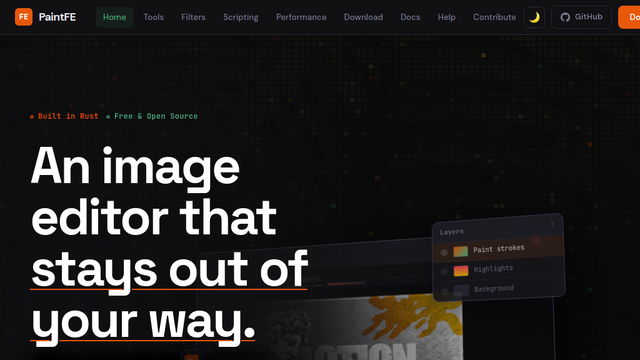
PaintFE is a fast, lightweight, and open-source raster image editor designed as a modern alternative to tools like Paint.NET, built natively in Rust. Distributed as a single portable executable with no installation required, PaintFE packs heavy-duty features—such as multi-layer blending, selection tools (Magic Wand/Lasso), and GPU-accelerated effects—into an ultra-efficient footprint. Uniquely for a lightweight local editor, it combines high-performance graphics shaders with an embedded scripting engine and a completely offline, local AI-powered background removal tool (BiRefNet/ONNX).
Use Cases
Fast, Local Photo Retouching & Compositing
Quickly edit images using layers, custom blend modes, adjustments (Curves, HSL, Levels), and cloning tools without loading a heavy suite like Photoshop.
Offline AI Background Removal
Instantly isolate subjects and strip backgrounds out of photos completely locally without sending private images to cloud APIs or paying per-image subscription fees.
Automated Batch Image Processing
Leverage PaintFE’s command-line interface (CLI) to headless-batch format, resize, or filter collections of files (e.g., TIFFs, PNGs) using terminal scripts.
Creative Technical Scripting
Write custom image-manipulation behaviors or generative patterns directly inside the app using its sandboxed Rhai scripting engine with a live preview.
Advanced Warp and Liquify Manipulations
Perform complex distortion tasks using its WGSL compute shader-accelerated Liquify tool, Mesh Warp grid engine, or Perspective Crop tool.
Features & Benefits
Pure Portable Rust Architecture
Distributed as a zero-install, single standalone executable file that launches instantly, avoiding registry bloat and maximizing portability.
Local AI Tooling (BiRefNet/ONNX)
Features a built-in, completely offline background remover powered by local ONNX runtime inference, running entirely on your own CPU/GPU hardware.
GPU-Accelerated Effects & Shaders
Utilizes custom WGSL compute shaders for high-performance filters like Gaussian Blur, HSL tuning, and real-time Liquify canvas painting.
Embedded Rhai Scripting Engine
Includes an integrated pixel-level script editor (and CLI interface) that lets users programmatically map channels and automate adjustments.
Comprehensive Selection & Edit Suite
Equipped with industry-standard Magic Wand, Lasso, and Color Range selection capabilities, alongside Clone Stamps and Content-Aware Fill filters.
Animated Format Support
Natively supports creating, editing, and exporting frame-by-frame animations as animated GIFs or APNG (Animated PNG) formats.
100% Free & Open-Source (MIT)
Fully transparent, public codebase on GitHub with zero telemetry, paywalls, ads, or corporate software lock-in.
Blazing Fast Performance
Rust memory management combined with automated CPU/GPU compute routing ensures fluid edits even on low-spec hardware.
Complete Data Privacy
Because everything from the core shaders to the AI background removal engine runs strictly on-device, your imagery never leaves your machine.
Cons
Platform Limitations
While highly optimized and portable, its deepest hardware acceleration hooks are primarily refined around Windows/Linux client systems.
Smaller Extension Ecosystem
As an emerging open-source project, its plugin repository relies on its growing community compared to the decades-old ecosystem of Paint.NET.