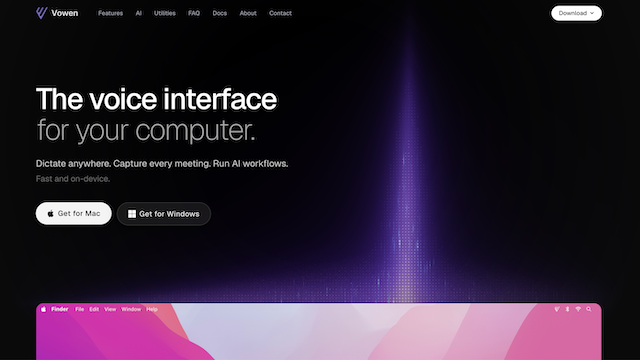
Vowen is a privacy-first, offline-capable desktop workspace engineered for cross-platform voice productivity across macOS and Windows. Built on top of the open-source Whisper.cpp framework, Vowen executes high-fidelity speech-to-text transcription directly on the user’s hardware without routing audio data to cloud servers. The platform blends localized, on-device audio processing with a modular AI execution layer, allowing users to seamlessly transition from voice dictation to smart text editing, real-time app automation, and meeting summaries.
Use Cases
Privacy-Sovereign Dictation & Journaling
Dictate sensitive business notes, personal journals, or code outlines directly into your machine without exposing internal communications to cloud logging.
Local Meeting Transcription & Summarization
Record long-form multi-party discussions locally and generate structured action items or summaries via an integrated, user-configured LLM provider.
In-Context AI Text Refinement
Highlight text in any local editor or browser tab and invoke Vowen’s ‘Rewrite This’ engine to instantly analyze, condense, or clean up prose based on custom styles.
Hands-Free OS & Web Automation
Execute system-level tasks and web browsing using native voice commands such as ‘Open GitHub’ or ‘Search today’s news’ directly through a localized command engine.
Document-Grounded Knowledge Management
Upload local contextual assets (PDFs, Markdown, JSON, CSV) to the application’s memory vault to ground the AI’s editing and transcription feedback in specialized domain knowledge.
Features & Benefits
On-Device Whisper.cpp Audio Engine
Utilizes highly optimized C/C++ implementations of OpenAI’s Whisper models for high-speed, local transcription across 99 distinct languages.
Native Cross-Platform Clients
Fully compiled desktop applications featuring native installers and optimized system-level hook architectures for both macOS and Windows.
Command Mode Integrations
An opt-in automation engine that maps verbal intents directly to operating system commands, tab management, and localized browser search workflows.
Custom Meeting Notes Templating
Allows developers and managers to inject bespoke prompt structures and system rules defining exactly how meeting summaries are parsed and organized.
Multi-Format Media Support
Features enhanced manual transcription pipelines capable of accepting both standalone audio files and full video formats (MP4, MKV) for local rendering.
Bring Your Own API Key (BYOAK)
Decouples transcription from text reasoning by letting users plug in low-latency, affordable third-party inference providers like Gemini or Groq.
Absolute Audio Sovereignty
Audio files and voice inputs never leave your local machine, fully eliminating cloud interception risks and third-party data tracking.
Zero Transcription Fees
Running Whisper locally means speech-to-text processing is completely free and unmetered, bypassing costly cloud per-minute audio billing.
Global Context Vault
The local memory feature allows the text-editing tier to seamlessly scan your resume, technical documents, or personal text archives during everyday tasks.
Cons
Hybrid Logic Dependence
While audio transcription is entirely local, advanced features like meeting summaries and smart rewrites require an active internet connection to cloud LLM providers.
Hardware Bounds Performance
The accuracy and throughput of large on-device Whisper models depend directly on the host machine’s local CPU, GPU, or Apple Silicon Neural Engine capabilities.