Tactiq | Get live, in-meeting transcriptions and insightful AI summaries
Tactiq
Introduction
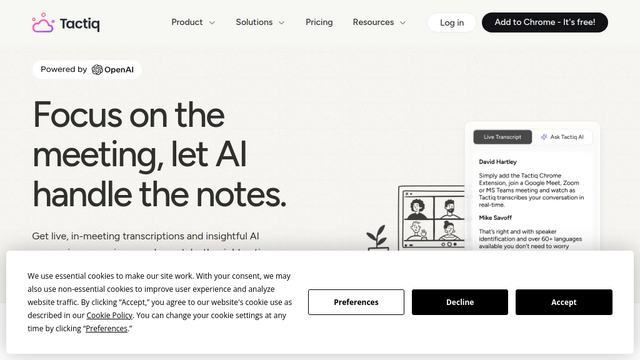
Tactiq is a powerful AI-driven transcription and meeting productivity tool designed to capture conversations in real-time. Unlike many competitors that use recording bots, Tactiq operates as a browser extension, providing a seamless experience for users on Google Meet, Zoom, and Microsoft Teams. It leverages advanced LLMs to generate summaries, action items, and insights, helping teams stay focused on the conversation rather than note-taking.
Use Cases
Client Consultations
Capture precise client requirements and feedback during discovery calls to ensure project alignment and documentation accuracy.
Agile Team Standups
Maintain a searchable history of daily progress, blockers, and commitments to keep distributed teams synchronized.
User Research Interviews
Transcribe qualitative interviews instantly, allowing researchers to tag key insights and emotional cues without distractions.
Sales Discovery and Demos
Record customer pain points and objections directly into CRM platforms like HubSpot or Salesforce for better lead management.
Executive Board Meetings
Generate formal minutes and clear action items automatically to ensure organizational transparency and compliance.
Features & Benefits
Bot-Free Transcription
Captures meeting text via a browser extension, ensuring a private and non-intrusive experience without a virtual participant joining the call.
AI Meeting Summaries
Utilizes GPT-4 to transform long transcripts into concise summaries, bulleted action items, and structured meeting minutes.
Real-Time Highlighting
Allows participants to click and highlight important moments during the live call, making post-meeting review faster and more focused.
One-Click Workflow Integrations
Seamlessly syncs transcripts and summaries to productivity tools like Slack, Notion, Google Drive, Jira, and HubSpot.
Speaker Identification
Automatically identifies and labels different speakers in the transcript to provide clear context for every statement made during the session.
Privacy & Professionalism
The absence of a recording bot makes it less distracting for participants and more suitable for sensitive corporate environments.
Ease of Use
Simple installation as a Chrome extension allows it to start working immediately with a single click.
High Accuracy
Provides reliable real-time transcription across multiple languages, reducing the need for manual corrections.
Cons
Browser Dependency
Primarily optimized for Chrome, which may be a limitation for users who prefer other browsers or mobile-first workflows.
Free Tier Limits
The free version has restricted access to advanced AI credits, which are necessary for generating full meeting summaries.